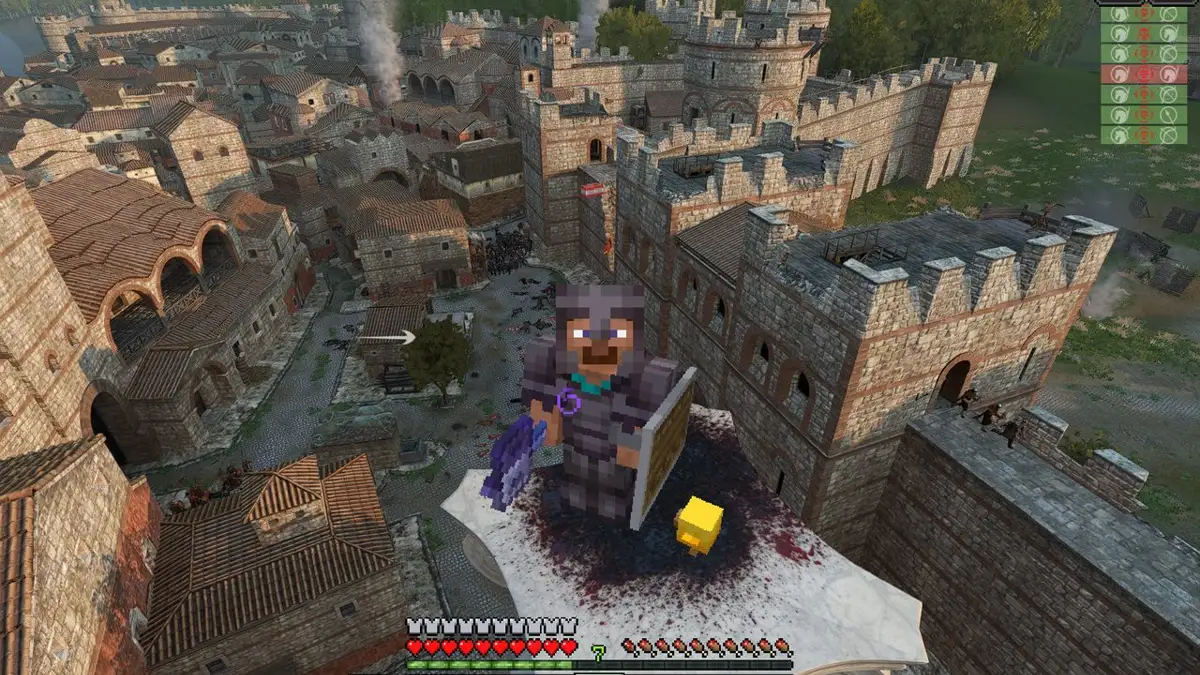
Minecraft combat and building inside Bannerlord battles
This bridge runs Minecraft alongside Bannerlord, bringing Steve’s movement, inventory, weapons and building into Bannerlord battles. The creator documents campaign inventory, soldier loot, town traders and horseback combat. Version v0.1.0 was published on October 24, 2026 UTC; MinecraftPassthrough-v0.1.0.zip was uploaded on October 27. This is an older release recorded as a catalog gap on November 2 and rechecked on November 11, not a new release today.
What you need
Windows 10 or 11, your own Steam copy of Mount & Blade II: Bannerlord v1.4.8 in windowed or borderless mode, and Minecraft Java Edition 26.3 with the official Minecraft Launcher. Sign into the launcher once before installation. The installer sets up Fabric Loader 0.19.5 and a separate Minecraft profile. Single player only; use a Bannerlord window at 1920 × 1200 or smaller. The author estimates about 5 GB of memory for the two games together.
How to get started
- Read the creator’s setup instructions and limitations, then download MinecraftPassthrough-v0.1.0.zip from the v0.1.0 release.
- Extract the ZIP. Close Bannerlord and the Minecraft Launcher before following the author’s Install.bat setup. It installs the module, ReShade add-on components and a separate Minecraft profile; review the existing-ReShade instructions if applicable.
- Use the Bannerlord x Minecraft desktop shortcut and launch its Minecraft profile. Keep Minecraft running without minimizing it, then enter a single-player Bannerlord battle. F9 switches control; F10 opens the developer panel.
Was this made with AI?
AI involvement is not established by the checked creator README or release notes.
Original sources
We checked these pages on . This is a source-review date, not a claim that the game was updated or tested that day.